

Solo Ticket Theme
Podgląd biletu HTML | Podgląd biletu PDF | Dziennik zmian
Download for free!
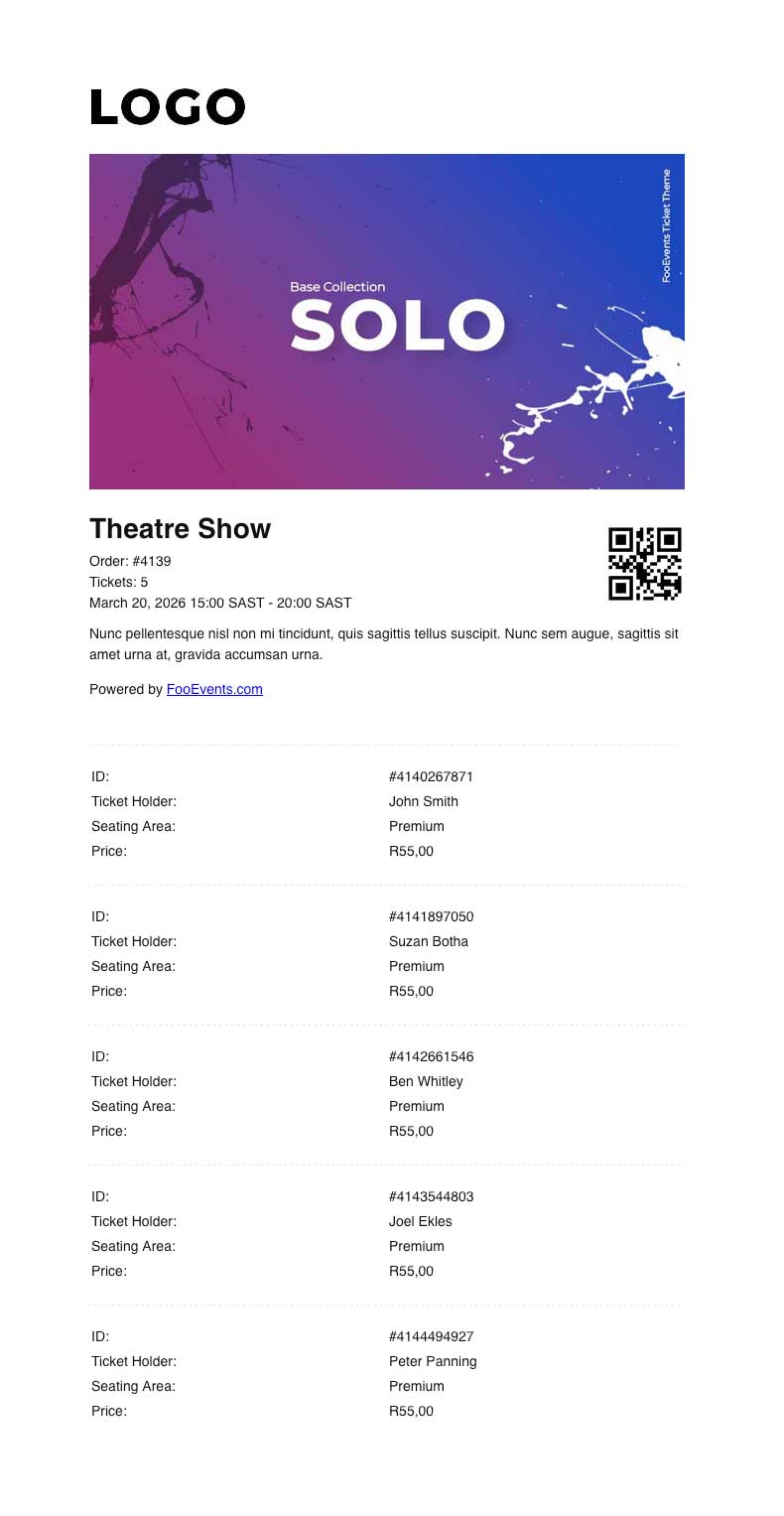
The Solo Ticket Theme is designed for events where one person purchases and manages multiple tickets on behalf of a group, such as tour groups, school groups, families, or corporate bookings.
Instead of displaying a separate QR code for each attendee, the Solo Ticket Theme displays a single QR code for the order, along with a summary of the event and the tickets included. This makes it easier for the purchaser or group leader to manage entry on behalf of the whole group.
This theme is intended to be used with the Aplikacja FooEvents Check-ins i Odprawa to samo Zamów bilety setting. When this setting is enabled in the app, scanning the QR code will check in all relevant tickets from the same WooCommerce order at once, provided they are for the same event. If the tickets are for a booking, only tickets for the same booking slot will be checked in. This prevents tickets for other events or booking slots in the same order from being checked in incorrectly.
To use the Solo Ticket Theme correctly, make sure Ticket Settings > Display purchaser or attendee details on ticket? jest not enabled. This ensures the purchaser receives a single consolidated group ticket, rather than individual tickets being sent directly to each attendee. It will also prevent the attendee list from being displayed at the bottom of the email.
To enable group check-ins in the FooEvents Check-ins app:
- Log in to the Aplikacja FooEvents Check-ins.
- Tap the Ustawienia icon.
- Włącz Odprawa to samo Zamów bilety.
The Solo Ticket Theme is best suited for events where the group enters together and the purchaser or group leader is responsible for presenting the ticket at check-in.
Aby skorzystać z tego szablonu, wystarczy dodać go do koszyka i ukończyć proces płatności. Nie martw się, jest darmowy i nie wymaga płatności. Po zakończeniu procesu zakupu szablon będzie dostępny w folderze Pliki do pobrania sekcja. Po pobraniu go na pulpit, przejdź do sekcji FooEvents > Bilety > Motywy biletów w swoim Obszar administracyjny WordPress. Prześlij plik ZIP motywu, a będziesz mógł przypisać go do dowolnego wydarzenia.
Uwaga: To nie jest motyw WordPress. Motywy biletów FooEvents są specjalnie zaprojektowane do stylizacji biletów FooEvents i nie mogą być używane do ogólnego tworzenia motywów witryn WordPress.
 English
  German
  Dutch
Dutch  Spanish
  Italian
  Portuguese
  French
  Polish
  Czech
Czech  Greek
Greek