

Solo Ticket Theme
Vista previa de la entrada HTML | Vista previa de las entradas en PDF | Registro de cambios
¡Descarga gratis!
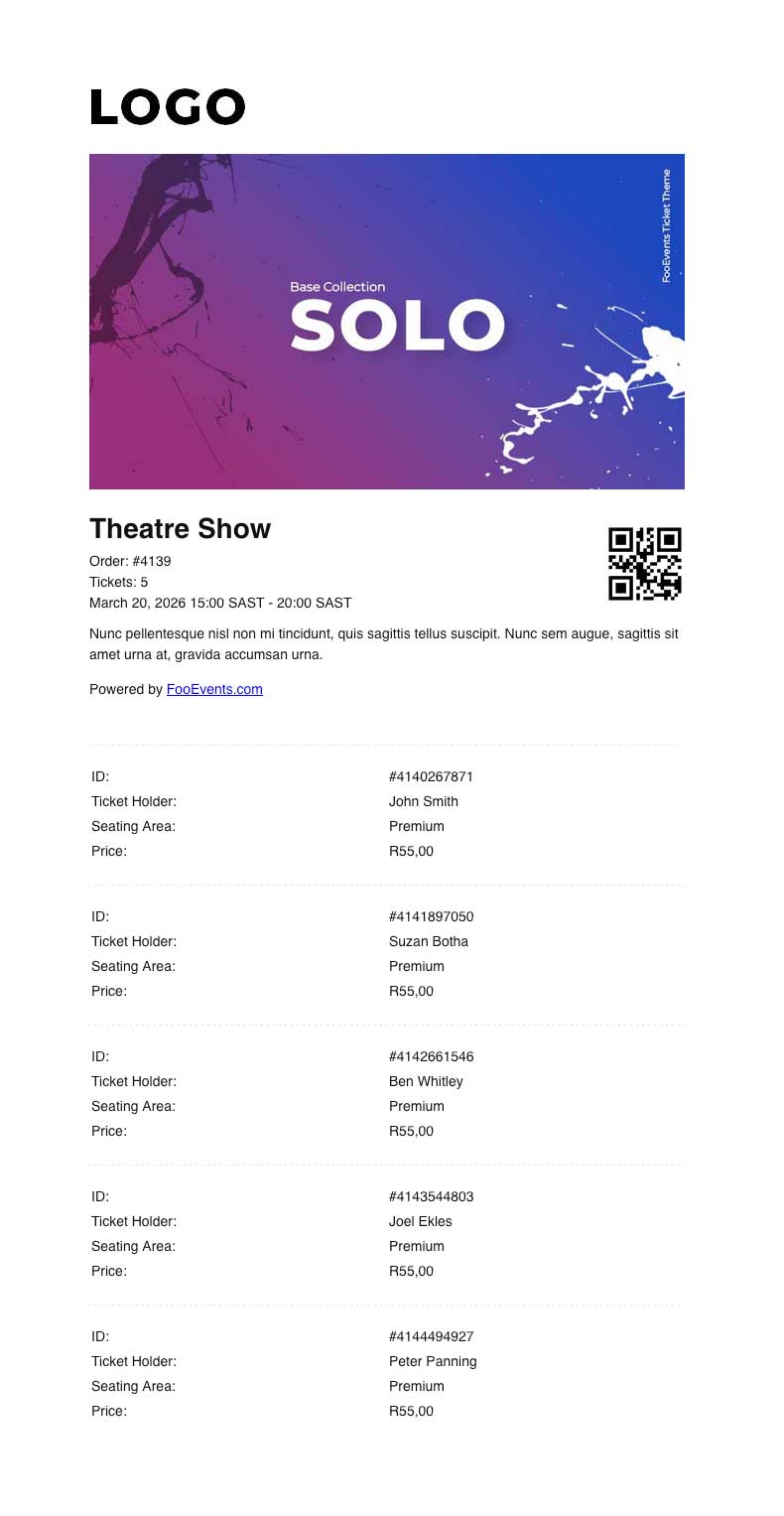
En Solo Ticket Theme is designed for events where one person purchases and manages multiple tickets on behalf of a group, such as tour groups, school groups, families, or corporate bookings.
Instead of displaying a separate QR code for each attendee, the Solo Ticket Theme displays a single QR code for the order, along with a summary of the event and the tickets included. This makes it easier for the purchaser or group leader to manage entry on behalf of the whole group.
This theme is intended to be used with the Aplicación FooEvents Check-ins y el Facturación Pedir entradas setting. When this setting is enabled in the app, scanning the QR code will check in all relevant tickets from the same WooCommerce order at once, provided they are for the same event. If the tickets are for a booking, only tickets for the same booking slot will be checked in. This prevents tickets for other events or booking slots in the same order from being checked in incorrectly.
To use the Solo Ticket Theme correctly, make sure Ticket Settings > Display purchaser or attendee details on ticket? es not enabled. This ensures the purchaser receives a single consolidated group ticket, rather than individual tickets being sent directly to each attendee. It will also prevent the attendee list from being displayed at the bottom of the email.
To enable group check-ins in the FooEvents Check-ins app:
- Log in to the Aplicación FooEvents Check-ins.
- Tap the Ajustes icon.
- Activar Facturación Pedir entradas.
En Solo Ticket Theme is best suited for events where the group enters together and the purchaser or group leader is responsible for presenting the ticket at check-in.
Para utilizar este tema, sólo tiene que añadirlo a su cesta y completar el proceso de compra. No te preocupes, es gratis y no es necesario pagar nada. Una vez finalizado el proceso de compra, el tema estará disponible en tu tienda online. Descargas sección. Después de descargarlo en su escritorio, vaya a FooEvents > Entradas > Temas de entradas en su WordPress Área de administración. Sube el archivo ZIP del tema y podrás asignarlo a cualquier evento.
Nota: Este no es un tema WordPress. Los temas para entradas FooEvents están diseñados específicamente para dar estilo a las entradas FooEvents y no pueden utilizarse para la tematización general de sitios WordPress.
 English
  German
  Dutch
Dutch  Spanish
  Italian
  Portuguese
  French
  Polish
  Czech
Czech  Greek
Greek