
Uitbreiding
FooEvents
Point of Sale (POS)
FooEvents POS is een web-based point of sale plugin voor WooCommerce die draait op uw eigen server en stelt u in staat om te verkopen en tickets af te drukken in-persoon. U kunt ook gebruik maken van FooEvents POS om fysieke producten te verkopen met geavanceerde point of sale functies.
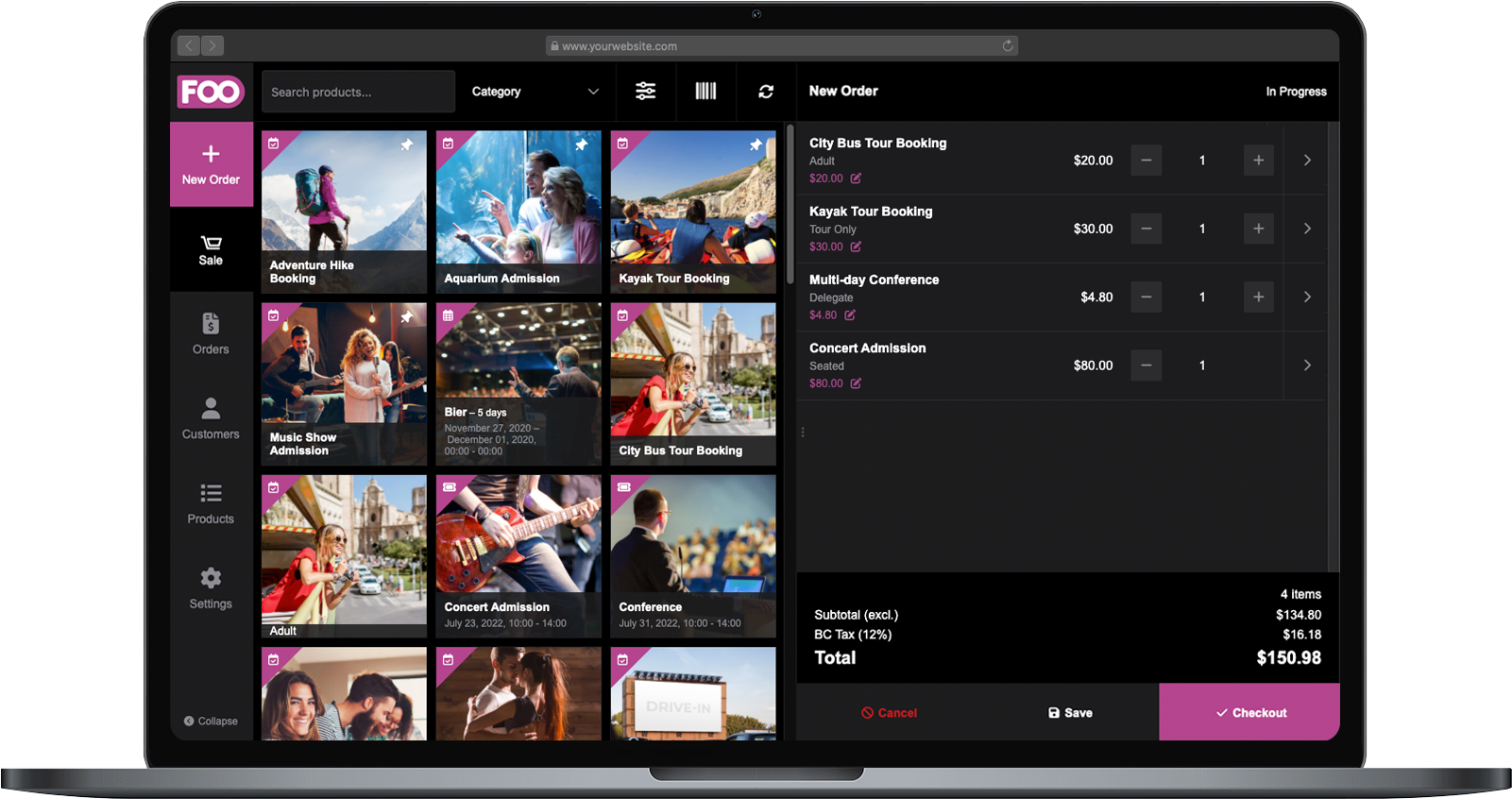
Take your ticket sales from online to the front line
Sell tickets in person at the door or box office.
Process POS orders through WooCommerce.
Tickets en ontvangstbewijzen afdrukken at your event.
Sync sales data between online and in-person orders.
14 dagen geld-terug-garantie
POS features for connected door sales
Explore the key features that make FooEvents POS a practical way to sell tickets in person using WooCommerce, from door sales and real-time stock updates to attendee details, order management, ticket generation, and integration with FooSales POS.
Sell tickets and products in person
FooEvents POS lets you sell event tickets, bookable services, and physical products directly from a point of sale interface that connects to WooCommerce. Use your existing products, variations, stock, customers, tax settings, and payment workflows, while keeping online and in-person sales connected.
Real-time WooCommerce sync
Keep your online store and in-person sales in sync with real-time access to WooCommerce products, orders, customers, stock, tax settings, and event data. Sell tickets at the door while keeping availability and order information up to date across your store and POS devices.
Automatic attendee check-ins
Speed up door sales by automatically checking in attendees after their ticket purchase. This is ideal for events where customers buy tickets on arrival and need to enter immediately.
Sell physical products too
Use FooEvents POS to sell more than tickets. Add clothing, merchandise, food, equipment, and other physical products to the same order, making it useful for events, venues, pop-up shops, concessions, and merchandise stands.
Product search and barcode scanning
Find products quickly by searching your catalog or scanning product barcodes. This helps your team process orders faster, especially when selling both tickets and physical products.
Saved orders
Save orders in FooEvents POS and complete them later. This is useful when a customer needs more time, payment needs to be finalized, or your team needs to pause an order without losing the cart.
Offline modus
Keep selling even when the internet goes down. FooEvents POS supports offline order processing, then syncs orders and generates tickets automatically when the connection is restored.
Decimale hoeveelheden en maateenheden
Sell products that use decimal quantities or units of measurement, making FooEvents POS suitable for items sold by weight, length, volume, or other measured quantities.
Integrated payments
Accept card payments directly in FooEvents POS using supported Stripe and Square card readers. You can also use default or custom payment methods, making it flexible for card, cash, manual card entry, EFT, and other payment workflows.
Refunds from the POS
Issue refunds directly from FooEvents POS, helping your team manage customer service and order adjustments without switching between multiple systems.
Coupons and tax support
Use your existing WooCommerce coupons and tax settings during POS checkout. This keeps discounts, promotions, taxes, and order totals consistent with your WooCommerce store.
Print or email tickets and receipts
Give customers their tickets and receipts in the format that works best for them. FooEvents POS can email or print tickets and receipts directly at the point of sale.
Printer support
Print tickets and receipts using most AirPrint, USB, wireless desktop, and compatible thermal printers. Automatic printing is also supported on selected thermal printer setups.
Custom ticket and receipt templates
Customize the look and feel of printed tickets and receipts to match your brand or event requirements. You can also choose whether barcodes should be shown or removed based on your ticket validation workflow.
WooCommerce Analytics support
Track online and in-person sales using WooCommerce Analytics. Filter reports by online or POS orders, use WooCommerce reporting tools to segment results, and export order data to CSV when needed.
Optimized for desktop and tablet
Use FooEvents POS on most desktop and tablet screen sizes, making it suitable for fixed checkout counters, mobile sales desks, event entrances, and pop-up sales stations.
Licentiegegevens
Alles wat je nodig hebt om te slagen
Met elke FooEvents-licentie krijgt u toegang tot hoogwaardige tools, ondersteund door betrouwbare updates, toegewijde ondersteuning en duidelijke helpbronnen, zodat alles vanaf de eerste dag soepel verloopt.
Individueel kopen
Je kunt deze extensie ook los kopen, maar daarvoor is het hoofd FooEvents voor WooCommerce te installeren en activeren plugin.
Inbegrepen bij uw aankoop
- Downloadbare plugin-bestanden
- 12 maanden premium ondersteuning
- 12 maanden plugin-updates
- Gratis incheck-apps voor iOS en Android
- Gebruiksvriendelijke documentatie
Een licentie geeft recht op 12 maanden updates en ondersteuning vanaf de aankoopdatum. De licentie kan door jou of een klant worden gebruikt en kan niet worden doorverkocht of opnieuw gedistribueerd in de originele of gewijzigde staat. Alle aankoopopties worden jaarlijks gefactureerd, maar je kunt je abonnement op elk moment opzeggen. Als u niet tevreden bent met uw aankoop, bieden wij een 7-daagse geld-terug-garantie.
 English
  German
  Dutch
Dutch  Spanish
  Italian
  Portuguese
  French
  Polish
  Greek
Greek