

Solo Ticket Theme
Voorbeeld HTML-ticket | PDF Ticket Voorbeeld | Changelog
Download for free!
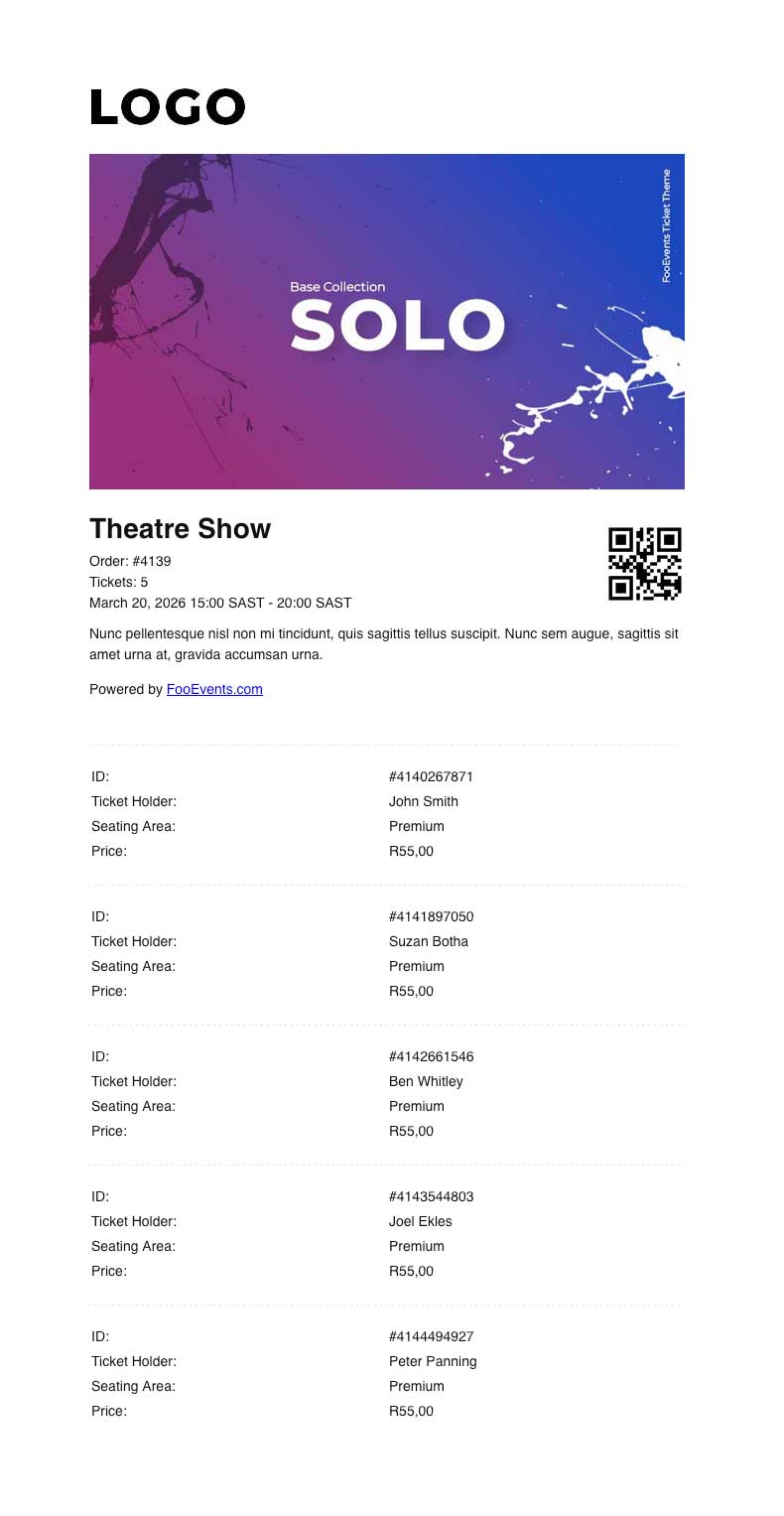
De Solo Ticket Theme is designed for events where one person purchases and manages multiple tickets on behalf of a group, such as tour groups, school groups, families, or corporate bookings.
Instead of displaying a separate QR code for each attendee, the Solo Ticket Theme displays a single QR code for the order, along with a summary of the event and the tickets included. This makes it easier for the purchaser or group leader to manage entry on behalf of the whole group.
This theme is intended to be used with the FooEvents Check-ins app en de Inchecken Zelfde Tickets Bestellen setting. When this setting is enabled in the app, scanning the QR code will check in all relevant tickets from the same WooCommerce order at once, provided they are for the same event. If the tickets are for a booking, only tickets for the same booking slot will be checked in. This prevents tickets for other events or booking slots in the same order from being checked in incorrectly.
To use the Solo Ticket Theme correctly, make sure Ticket Settings > Display purchaser or attendee details on ticket? is not enabled. This ensures the purchaser receives a single consolidated group ticket, rather than individual tickets being sent directly to each attendee. It will also prevent the attendee list from being displayed at the bottom of the email.
To enable group check-ins in the FooEvents Check-ins app:
- Log in to the FooEvents Check-ins app.
- Tap the Instellingen icon.
- inschakelen Inchecken Zelfde Tickets Bestellen.
De Solo Ticket Theme is best suited for events where the group enters together and the purchaser or group leader is responsible for presenting the ticket at check-in.
Om dit thema te gebruiken, voeg je het gewoon toe aan je winkelwagentje en voltooi je het afrekenproces. Maak je geen zorgen, het is gratis en er is geen betaling vereist. Zodra het afrekenen is voltooid, is het thema beschikbaar in je Downloads sectie. Nadat je het naar je bureaublad hebt gedownload, ga je naar FooEvents > Tickets > Kaartjesthema's in uw WordPress Beheersgebied. Upload het ZIP-bestand van het thema en je kunt het toewijzen aan een evenement.
Opmerking: Dit is niet een WordPress thema. FooEvents Ticket Thema's zijn specifiek ontworpen om FooEvents tickets stijl en kan niet worden gebruikt voor algemene WordPress site thematisering.
 English
  German
  Dutch
Dutch  Spanish
  Italian
  Portuguese
  French
  Polish
  Czech
Czech  Greek
Greek