
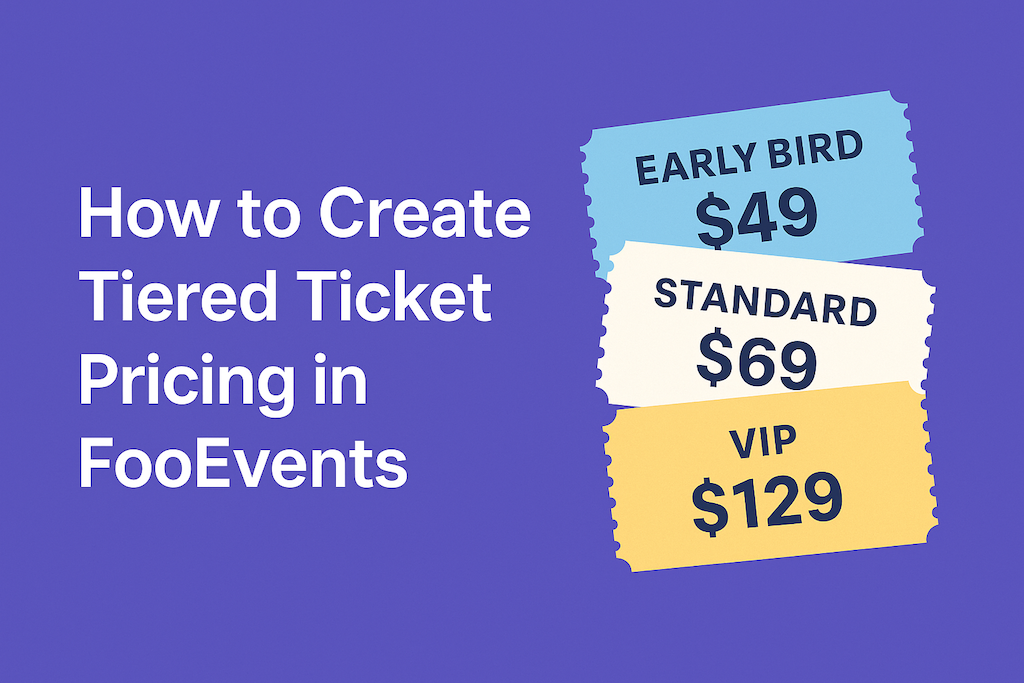
Tiered ticket pricing lets you offer different ticket types—like Early Bird, Standard, and VIP—without additional plugins. With FooEvents i WooCommerce, you can build tiers as product variations, set prices and stock per tier, and collect attendee details per ticket. This post shows you how to set it up and validate it from start to finish.
Wprowadzenie
Most events benefit from having more than one price option. Early Bird rewards quick decisions, Standard covers the majority, and VIP adds premium perks. Because FooEvents sits on top of WooCommerce, you can manage each tier inside a single event product—no duplicate pages or messy reports. Below is a practical setup you can follow today.
Uwaga: FooEvents currently assumes Classic Checkout by default. If you’re testing WooCommerce Checkout Blocks, confirm behavior on a staging site before switching.
Step 1: Create an Event Product
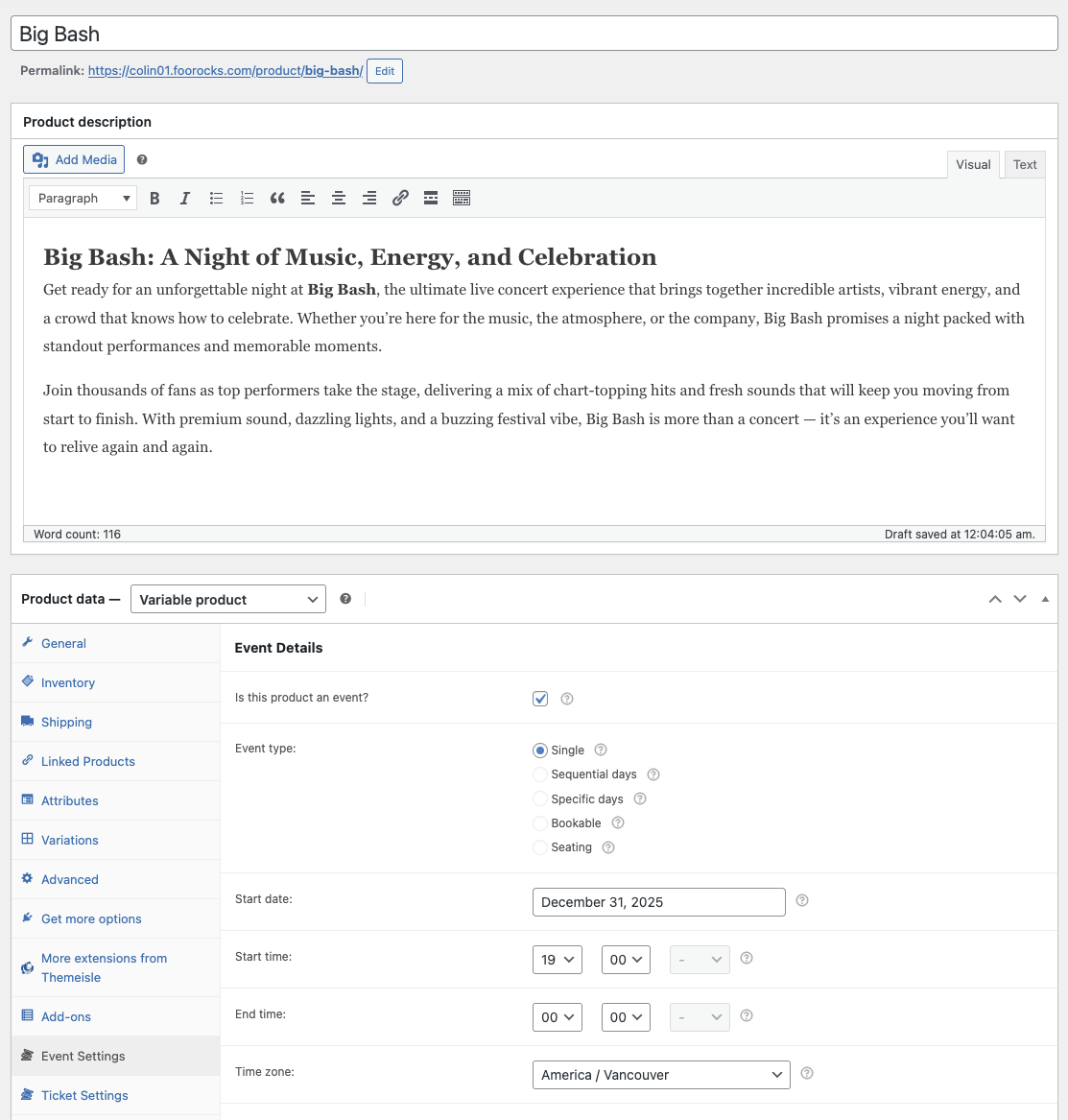
In your WordPress admin dashboard, go to Produkty → Dodaj nowy and create your event product.
- Give the event a clear title and summary (date, venue, highlights).
- Set Dane produktu do Produkt zmienny (you’ll use variations for pricing tiers).
- W Ustawienia zdarzeń panel, check the box Czy ten produkt jest wydarzeniem? and enter the event details.
Step 2: Add an Attribute for “Ticket Type”
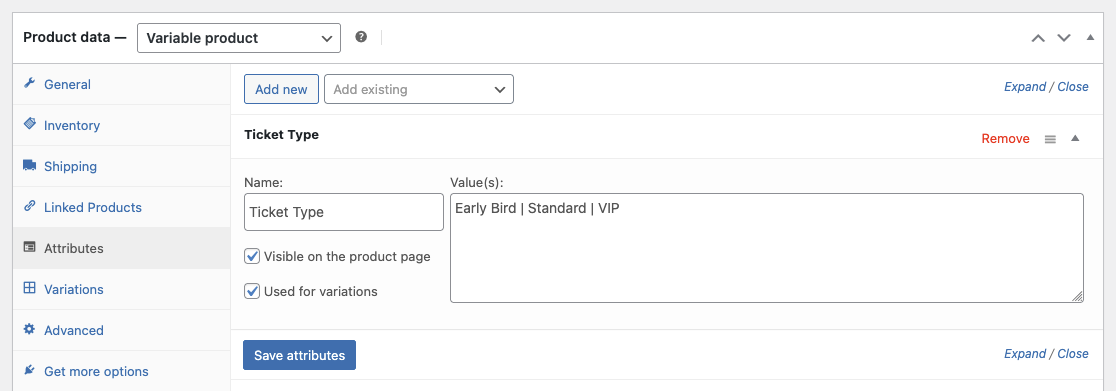
Attributes define the options that your variations (tiers) are built from.
- In the product editor, open the Atrybuty zakładka.
- Create a new custom attribute called Typ biletu.
- Enter values such as Early Bird | Standard | VIP (separated by pipes).
- Check Używany do wariacji and click Zapisywanie atrybutów.
Step 3: Generate Variations and Set Prices/Stock
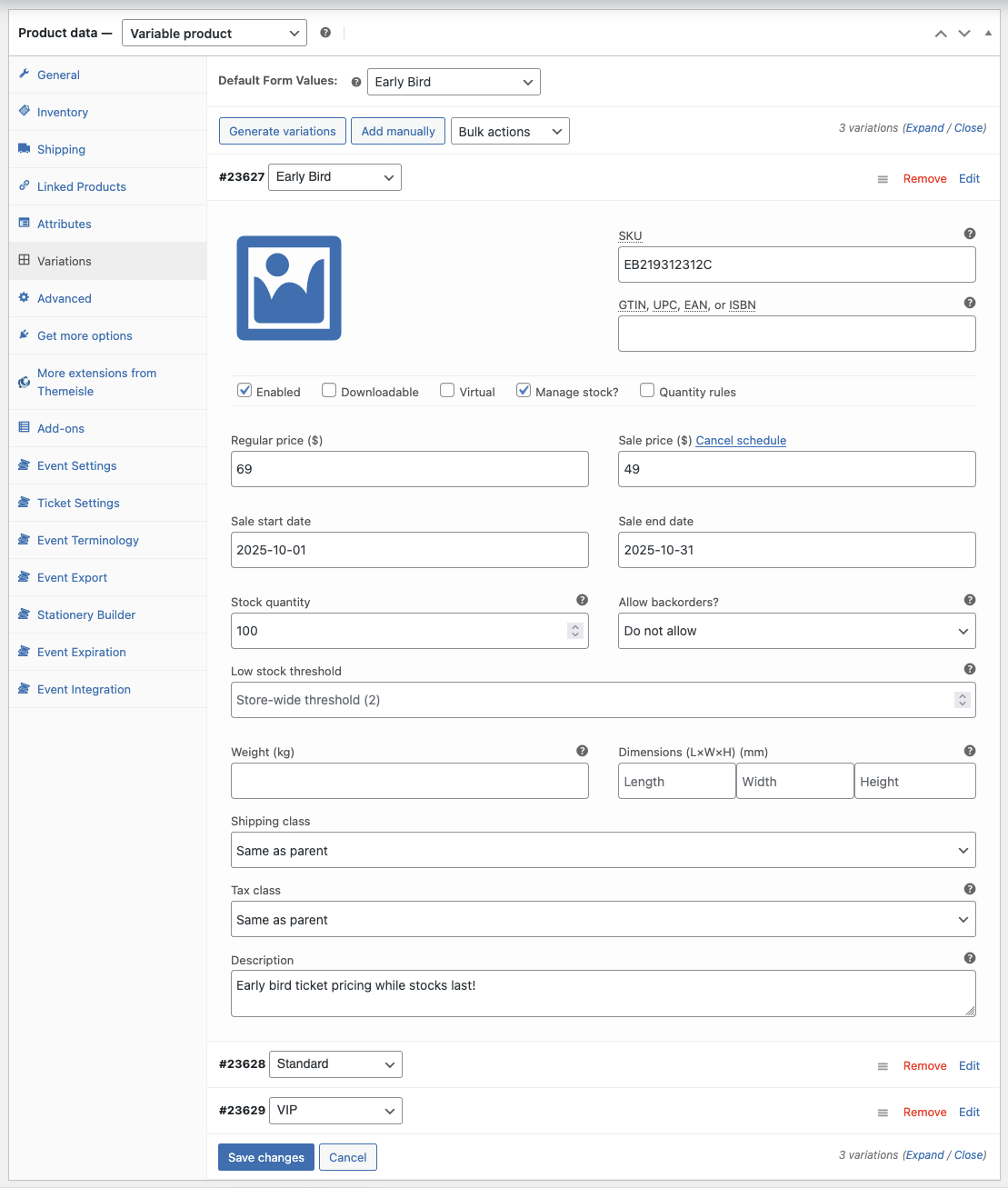
Now convert the attribute values into actual purchasable tiers.
- Przejdź do Wariacje tab and choose Generowanie wariantów.
- For each variation (tier), set:
- Regular price (e.g., Early Bird $49, Standard $69, VIP $129).
- Stock (limit Early Bird to drive urgency; VIP to preserve exclusivity).
- SKU (optional) to keep reporting tidy.
- (Optional) Use Schedule on the variation’s sale price to end Early Bird on a date.
Step 4: Collect Attendee Details Per Ticket
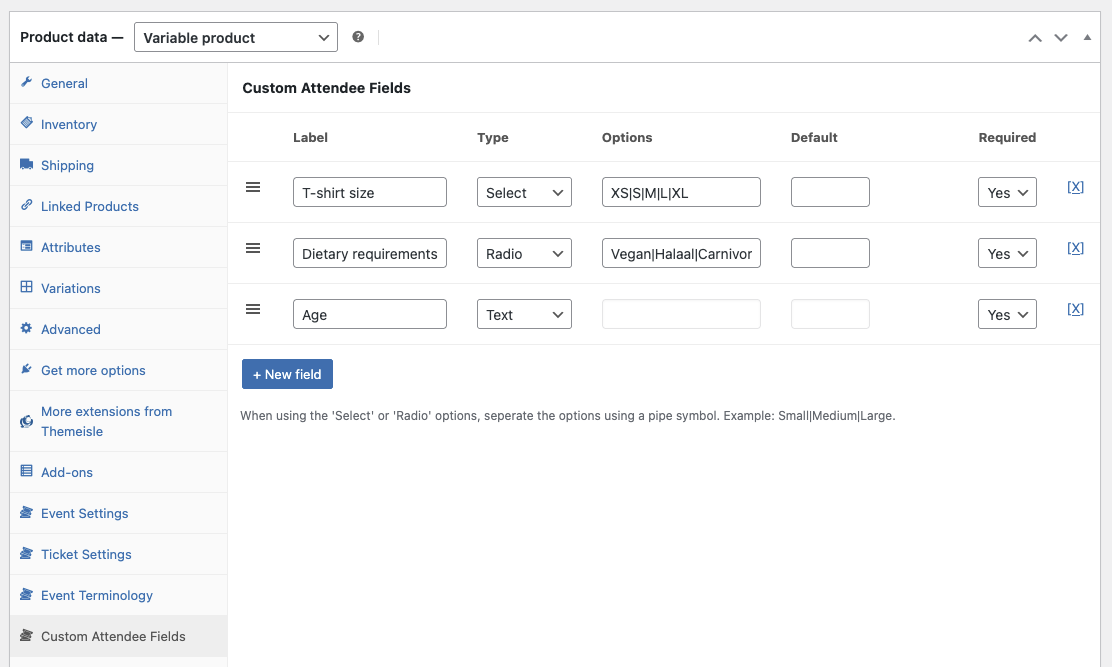
FooEvents can capture attendee info for every ticket—useful when one order buys multiple tickets.
- Otwórz Niestandardowe pola uczestników panel.
- Kliknij +New Field.
- Dodaj Custom attendee fields if needed (e.g., T-shirt size, dietary requirements etc).
👉 Custom Attendee Fields (Help)
Step 5: Publish and Validate the Flow
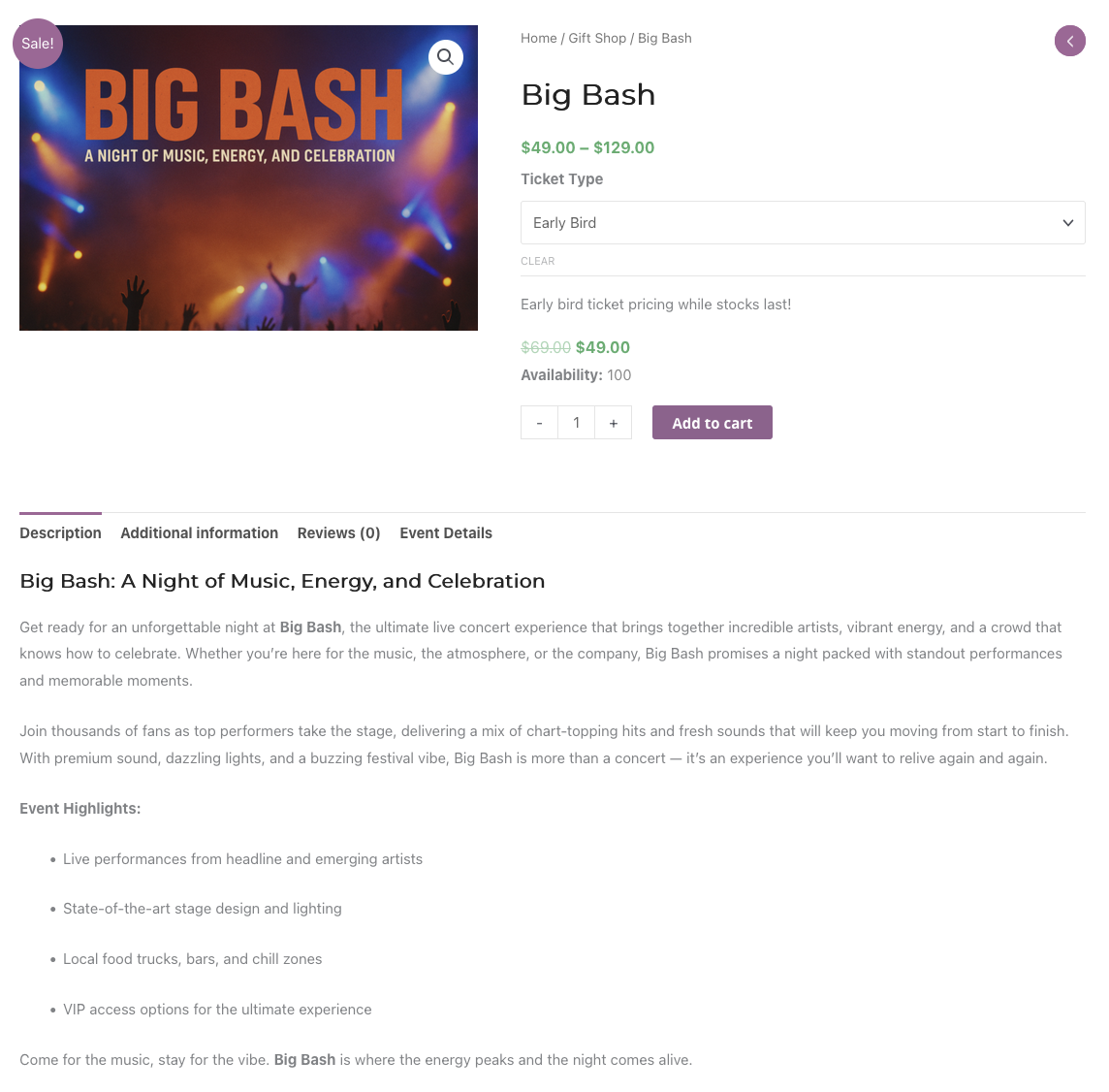
Preview the product and run a quick test like a real attendee would.
- Select each tier and add it to the cart—verify the correct price appears.
- Complete a test order and confirm attendee data is captured for each ticket.
- Check that the ticket email shows the correct tier name.
Step 6: Practical Pricing Tips
- Use scarcity thoughtfully: Cap Early Bird quantity and/or set a deadline to encourage early decisions.
- Make the value obvious: Add a short perks list in each variation’s description (e.g., VIP lounge, merch).
- Bundle upsells: Consider a VIP add-on (e.g., T-shirt or meet-and-greet) for a clean margin boost.
- Track performance: Compare orders by variation in reports; adjust stock and pricing if one tier lags.
Uwaga: If your theme heavily customizes product pages, test tier selection on mobile to ensure the dropdown and price update are obvious.
FAQ
Q. Can each tier have different attendee questions?
A. Yes. Use Custom Attendee Fields and make certain fields required for specific tiers if the question only applies there.
Q. How do I end Early Bird automatically?
A. Use the variation’s Schedule option to end a sale price or set stock to zero on the cutoff date.
Q. Can I cap total tickets across tiers?
A. Yes. Use per-variation stock to control each tier, or manage a global cap by monitoring combined sales and adjusting stock as needed.
Wnioski
Tiered ticket pricing helps you reach different budgets without splitting your event into multiple products. With FooEvents and WooCommerce variations, you control price, stock, and attendee data per tier—keeping everything tidy for reporting and check-ins.
👉 Odwiedź FooEvents or review the WooCommerce variable products documentation to start building your ticket tiers.

 English
  German
  Dutch
Dutch  Spanish
  Italian
  Portuguese
  French
  Polish
  Greek
Greek