
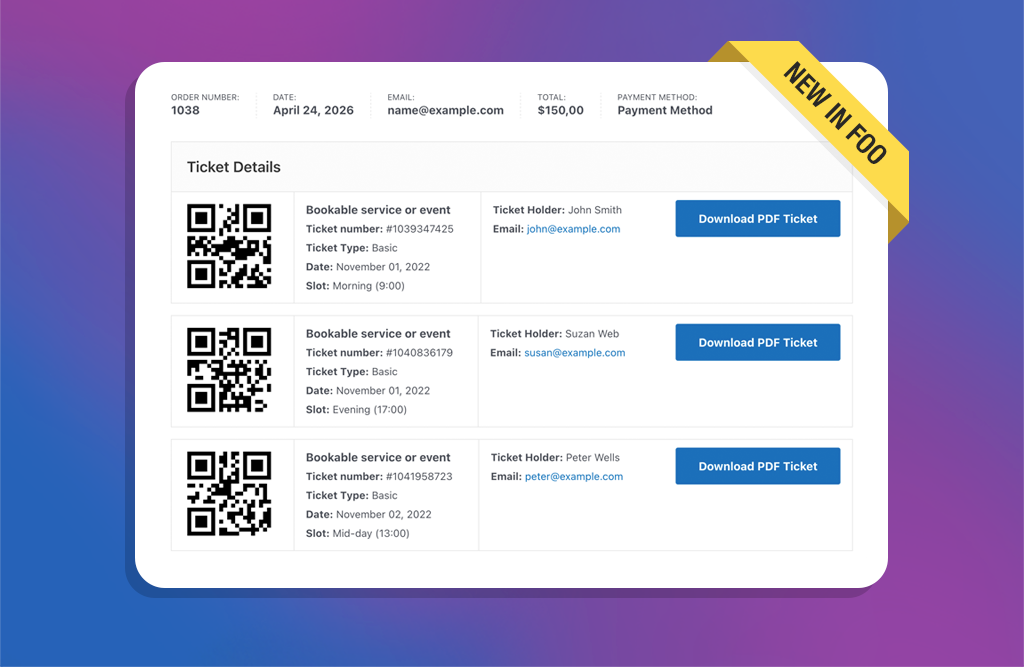
A few weeks ago, we rolled out the new Attendee Details Page and checkout flow. It was a pivotal update that improved the ticket purchase experience and ensured full compatibility with both the WooCommerce Checkout Block and classic checkout experiences.
With those core pieces now in place, we’ve turned our focus to popular feature requests that will help improve the overall experience for both you and your customers. In this post, we’ll take a look at the latest release, which includes several of these new improvements.
View Ticket Details on the Thank You Page
This is one of the biggest improvements in the release, and by far the most requested feature.
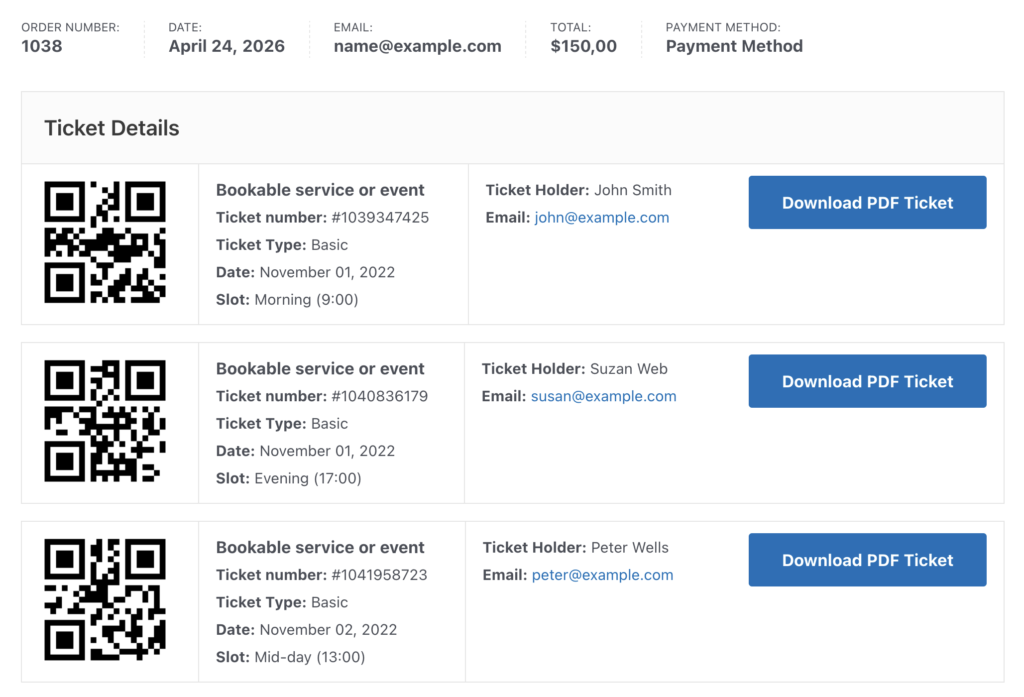
Your customers can now view their ticket details directly on the WooCommerce Thank You page (also called the Order Received page) immediately after checkout. That means faster access to important event and booking information without needing to check email or view the order in the My Account area first.
Depending on your event setup, the Thank You page can display ticket details such as ticket numbers, attendee information, booking dates and slots, and barcode or QR codes.
Tickets display as soon as they are generated based on your selected Send on order status setting. Until then, your customers will see a customizable pending message so you can clearly explain when tickets will become available.
Jeśli używasz Bilety FooEvents PDF, your customers can also download PDF tickets directly from the Thank You page when PDF downloads are enabled.
The result is a clearer post-purchase experience that reduces friction and gets tickets to your customers faster.
For setup instructions and technical details, see our help guide: Thank You Page Tickets Setup Guide.
Better Ticket List Filtering
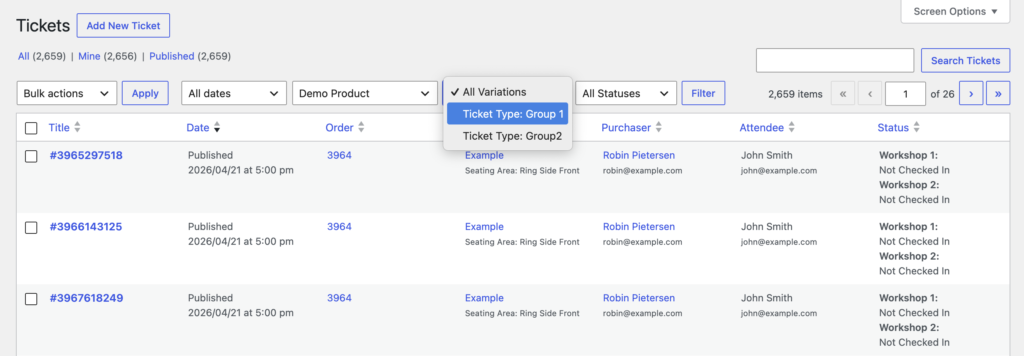
When viewing tickets in the WP Admin area, you can now filter tickets by variations and check-in status. This makes it much easier to isolate a specific ticket type such as VIP or General Admission, review unpaid tickets, or monitor check-in progress.
Faster Repeat Booking with “Add More” Cart Links
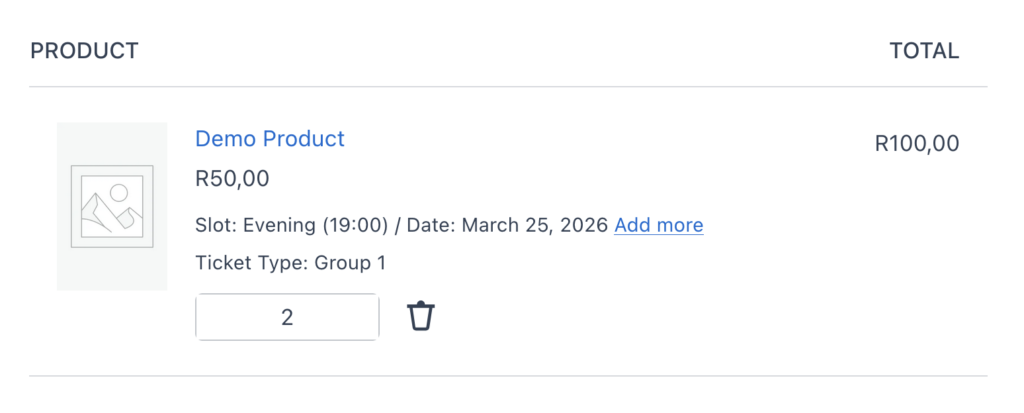
Given the nature of bookings, it’s not possible to simply change the cart quantity of a booking item from the cart screen. Typically, a customer would need to return to the product page, select the variation, date, and slot again, and validate stock availability before additional items can be added.
To make this easier, we now display an Add more link on the cart page that takes your customer back to the same product with their original booking and variation selections already pre-populated. That means they do not need to re-select dates, slots, or options from scratch, and can quickly add additional bookings to the cart. It saves time and removes friction from repeat purchases.
Bookings UI Improvements and WordPress 7 Readiness
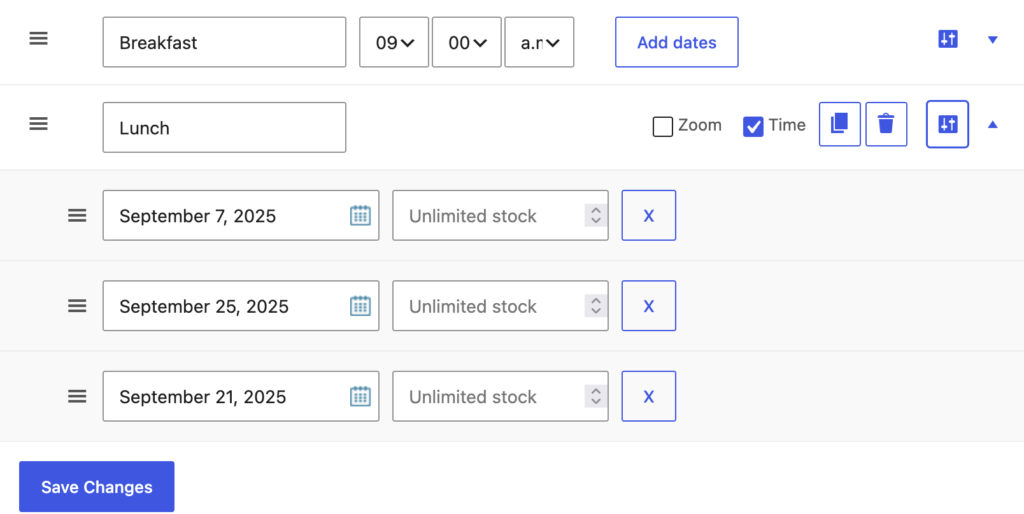
We’ve refined the FooEvents Bookings admin interface to make day-to-day workflows clearer and ready for UI changes coming with WordPress 7.
Inne aktualizacje
This release also includes several behind-the-scenes improvements and minor fixes.
To help prevent duplicate tickets caused by repeat payment callbacks, we added extra safeguards to ticket processing so only one ticket-generation process can run per order at a time.
We also improved how Bilety FooEvents PDF uses the DOMPDF library to reduce the chance of conflicts with other plugins and significantly reduced the bundled library footprint, making the plugin smaller and lighter.
To use all of the new features in this release, please make sure you update the following plugins:
Przemyślenia końcowe
Many of these features came directly from customer feedback. Thank you for continuing to share your ideas and help shape FooEvents. More improvements are already on the way.

 English
  German
  Dutch
Dutch  Spanish
  Italian
  Portuguese
  French
  Polish
  Greek
Greek