


Las inscripciones para eventos festivos pueden generar cientos de compras de entradas en poco tiempo. Si su WooCommerce store isn’t prepared, slow pages and failed checkouts can follow. With the right hosting, caching rules, and FooEvents configuration, you can handle holiday traffic spikes, protect performance, and keep registrations flowing smoothly.
Introducción
Mercados navideños, Santa photo sessions, noches de villancicos, Fiestas de fin de año – holiday events tend to be high demand and time sensitive. Everyone rushes online at once, often right when tickets go on sale. That’s when weaker setups start to creak. Pages stall, carts empty, and support inboxes fill up with unhappy attendees.
Si utiliza FooEvents con WooCommerce, you already have a native ticketing layer that runs directly on your store. The next step is to make sure your site and your events are configured to handle short, sharp bursts of traffic without falling over.
Asegúrese de que su alojamiento WooCommerce puede soportar ráfagas
First, confirm that your hosting environment is ready for the holiday rush. Ticket launches are essentially controlled traffic spikes, so you want a plan that can cope with concurrent visitors hitting product and checkout pages.
Pregunta a tu anfitrión:
- PHP workers and concurrency: Enough processes to handle many requests at once.
- Caching and object caching: Built-in tools like OPcache and Redis or equivalent.
- Rendimiento de la base de datos: SSD storage and sane limits on connections.
- Capacidad de ráfaga: Ability to scale up resources temporarily during busy periods.
If in doubt, it is usually safer to move a big on-sale event to a higher tier temporarily than to risk an overloaded plan.
There are many high-quality WordPress web hosts to choose from, but we personally recommend Hostinger, Hostgator y InstaWP basándose en la experiencia pasada.

Use caching smartly – but never on cart and checkout
Caching is one of the easiest ways to make your holiday landing pages feel fast. The key is knowing what to cache and what to leave dynamic.
Puede almacenar en caché de forma segura:
- Event landing pages and promo pages.
- Entradas de blog anunciando sus eventos navideños.
- Páginas de información general que enumeran varios eventos.
Nunca debe almacenar en caché:
- Páginas de carro.
- Páginas de pago.
- Páginas de Mi Cuenta.
- Pages that contain live ticket forms tied to a specific user session.
Si utiliza Códigos cortos FooEvents such as on a page, consider excluding that URL from full-page caching so WooCommerce can correctly handle stock and sessions.
Set FooEvents products up for performance and control
Next, review the event products themselves. A few simple decisions in WooCommerce and FooEvents can reduce load and avoid overselling when things get busy.
En el editor de productos:
- Utilizar un enfoque realista niveles de existencias cada entrada o reserva. No deje existencias ilimitadas si el local tiene un límite duro.
- Sólo activar “Collect attendee details for each ticket” when you actually need per-ticket information. It is powerful, but it adds extra form processing at checkout.
- For very popular sessions (for example, “Santa 10:00 AM”, “Santa 10:30 AM”), use a Producto variable with separate variations for each time slot so capacity is isolated.

Recorte los plugins innecesarios antes del gran día
A busy holiday launch is not the time to discover that a heavy slider plugin or unused analytics extension is slowing your site down. Each active plugin adds some overhead, even if it looks small in isolation.
Antes de que se abra la inscripción:
- Deactivate plugins that are not essential to ticket sales, like unused design tools, experimental features, or rarely used integrations.
- Temporarily disable features that inject large scripts on every page (e.g. complex animation libraries or multi-layer sliders).
- Keep an eye on your error logs to catch any plugin conflicts ahead of time.
A “lean” environment during launch often feels faster and is easier to troubleshoot if something does go wrong.
Stagger demand with a simple countdown and clear launch time
The most intense load usually happens in the first few minutes when your Christmas tickets go live. You can make this more manageable by planning how you announce and open sales.
- Publish the ticket page ahead of time with clear information and a visible launch time.
- Use a lightweight countdown timer so visitors are not constantly refreshing and guessing.
- Reveal the “Add to cart” section when the countdown reaches zero, rather than publishing the product from scratch at that moment.
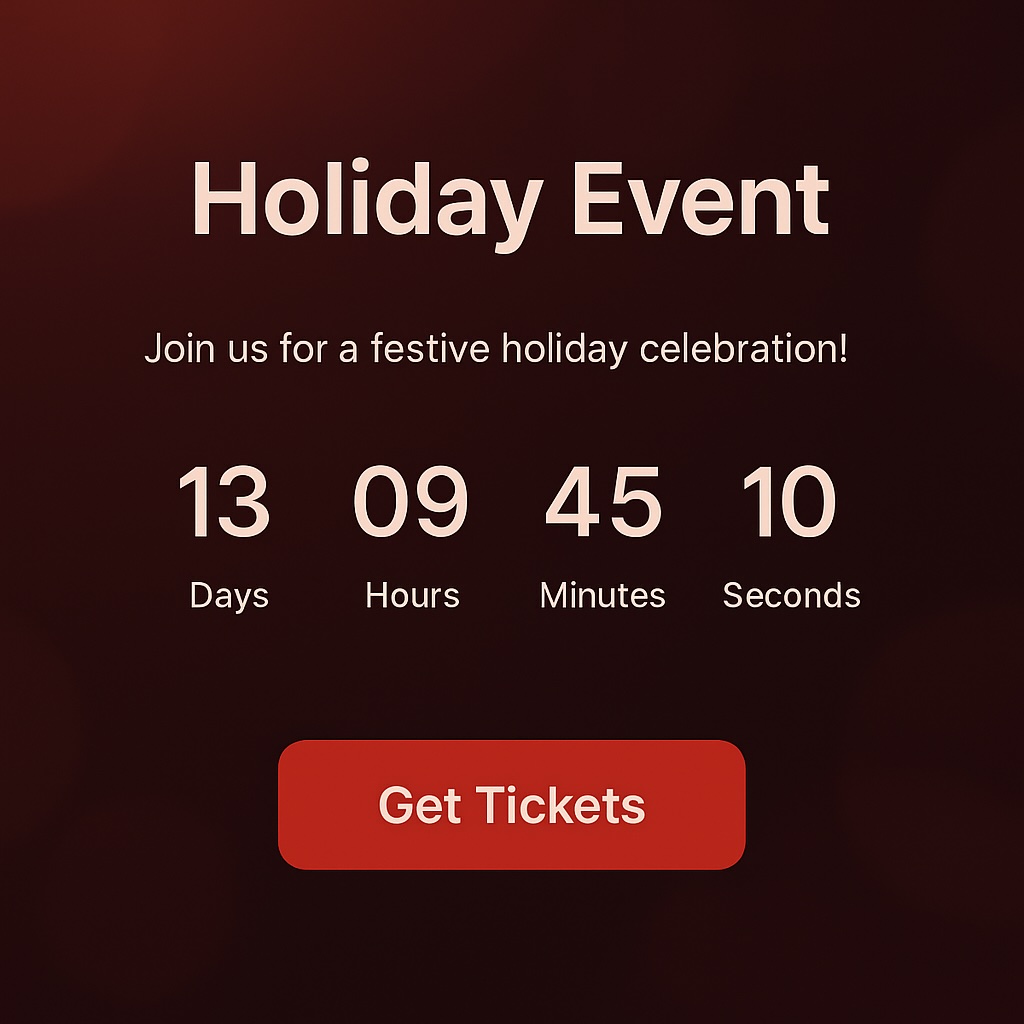
This still feels exciting for attendees, but it spreads the page loads more evenly and reduces the refresh storm that can put a strain on your server.
Stress-test your setup before the real rush
Even a simple test is better than switching everything on and hoping for the best. You do not need expensive load-testing tools to get useful feedback.
- Ask colleagues or volunteers to complete a series of test checkouts at the same time.
- Test on mobile devices over regular Wi-Fi and 4G to see how pages behave in realistic conditions.
- Use your staging site (if available) to experiment with higher concurrency and watch how resource usage changes.
If you notice timeouts or extremely slow pages under modest load, treat that as a warning signal and talk to your host or developer before launch day.
Keep on-site check-ins fast and off your main workflow
Una vez realizadas las inscripciones, el siguiente punto de estrés es el propio día del evento. Las largas colas en la entrada pueden echar por tierra un buen trabajo, sobre todo cuando hace frío en invierno.
Utiliza el FooEvents Check-ins App to scan QR codes and manage arrivals without needing your full WordPress admin open on every device.
- Instale la aplicación en varios dispositivos para que el personal pueda trabajar en paralelo.
- Give each staff member only the access they need for check-ins.
- Test scanning a handful of sample tickets before your doors open.

Have a simple fallback plan for holiday event registrations
os sitios web pueden tener problemas inesperados: un problema con la pasarela de pago, un problema con el alojamiento de origen o una interrupción de terceros. Contar con un plan de respaldo básico significa que puede mantener los registros en movimiento mientras se resuelven los problemas.
- Exportar una lista reciente de asistentes para tener un registro offline en caso necesario.
- Habilitar un método de pago adicional como opción de reserva.
- Prepare a short “status” message you can add to the site quickly if you need to pause sales temporarily.
Probablemente nunca necesites estos pasos, pero tenerlos preparados reduce el estrés cuando más importa.
Conclusión
High-demand holiday event registrations do not have to mean website slowdowns. By combining solid WooCommerce hosting, sensible caching rules, focused event product setups, and FooEvents’ ticketing and check-in features, you can handle Christmas traffic with confidence.
Get your site ready before tickets go on sale, run a few tests, and your biggest worry will be enjoying the event itself – not whether your checkout will survive.
 English
  German
  Dutch
Dutch  Spanish
  Italian
  Portuguese
  French
  Polish
  Czech
Czech  Greek
Greek