
Extension
FooEvents
Express Check-in
FooEvents Express Check-in helps you check in attendees quickly using a simple, browser-based interface. Search for attendees in seconds, scan tickets using a Bluetooth or USB barcode scanner, and optionally check attendees in automatically as tickets are scanned. It is a fast, lightweight way to manage event entry without needing a dedicated check-in app.
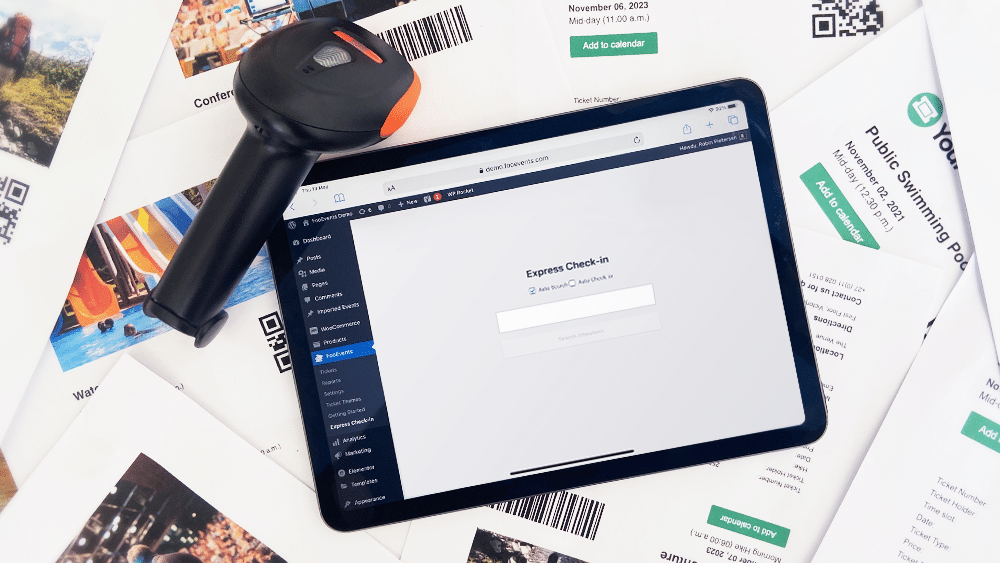
Check in attendees using live ticket data
Check in attendees using a browser-based interface.
Search live ticket data directly from your website.
Scan barcodes with USB or Bluetooth scanners.
Speed up entry with automatic check-ins.
14-Day Money Back Guarantee
Express Check-in features for faster event entry
Explore the key features that make FooEvents Express Check-in a fast, lightweight way to validate tickets and check in attendees using live event data, from attendee search and barcode scanning to automatic check-ins and browser-based access.
Faster attendee check-ins
Speed up event entry by giving your team a streamlined way to check attendees in without opening or managing each ticket record manually.
One-click check-in links
Add secure check-in links to ticket emails, allowing event staff to check attendees in quickly by opening the link from a phone, tablet, or desktop device.
QR code check-in support
Use Express Check-in together with ticket QR codes to quickly validate tickets and mark attendees as checked in when they arrive at your event.
No app required
Check attendees in directly through a web browser, making Express Check-in useful for teams that need a simple check-in workflow without installing the FooEvents Check-ins apps.
Works across devices
Use Express Check-in on phones, tablets, laptops, or desktop computers, giving your team flexibility when managing event access at the door.
Helps prevent duplicate check-ins
Validate ticket status during check-in to help identify tickets that have already been used and reduce the risk of duplicate entry.
License Details
Everything You Need to Succeed
Every FooEvents license gives you access to high-quality tools backed by reliable updates, dedicated support, and clear help resources to help ensure everything runs smoothly from day one.
Purchase Individually
You can also purchase this extension on its own, but it requires the main FooEvents for WooCommerce plugin to be installed and activated.
Included in your Purchase
- Downloadable plugin files
- 12 Months premium support
- 12 Months plugin updates
- Free iOS & Android check-in apps
- User-friendly documentation
A license entitles you to 12 months of updates and support from the date of purchase. It can be used by you or a client and cannot be resold or redistributed in its original or modified state. All purchase options are billed annually but you can cancel your subscription at any time. If you’re unhappy with your purchase, we offer a 14 Day Money-Back Guarantee.
 English
  German
  Dutch
Dutch  Spanish
  Italian
  Portuguese
  French
  Polish
  Greek
Greek