-

Why FooEvents is the #1 Alternative to The Events Calendar in 2026
The WordPress event management landscape has undergone a seismic shift recently. For years, The Events Calendar was the default choice for many. But lately, the community has been buzzing with a different kind of energy—and it’s not the good kind. If you’ve been feeling the “corporate chill” from your current plugin provider, you aren’t alone.…
-

Solving “Check-in” Friction: Lessons from Acute Inflections
Every event organizer knows that the “moment of truth” happens right at the entrance. This is where technical glitches or misplaced tickets can create immediate bottlenecks. For Elasea and Sadiki from Acute Inflections, New York’s premier jazzy R&B duo, the solution was moving tickets out of the inbox and directly into their attendees’ mobile wallets.…
-

7 leading event trends in 2026 to watch (and what they mean for organizers)
If you’re planning events in 2026, you’re not just competing with other organizers. You’re competing with people’s calendars, budgets, attention spans, and the “I’ll decide later” mindset that never really went away. The good news: people still want to show up. They want experiences they can feel—music, community, learning, celebration, being part of something bigger…
-

How to Handle Holiday Event Registrations Without Website Slowdowns
Holiday event registrations can generate hundreds of ticket purchases in a short space of time. If your WooCommerce store isn’t prepared, slow pages and failed checkouts can follow. With the right hosting, caching rules, and FooEvents configuration, you can handle holiday traffic spikes, protect performance, and keep registrations flowing smoothly. Introduction Christmas markets, Santa photo…
-

Hybrid Events Made Easy: Combining In-Person and Virtual Experiences
Hybrid events—part in-person, part virtual—let you reach more people without doubling your workload. With FooEvents and WooCommerce, you can sell tickets, check in guests, and host live sessions online or at a physical venue using one central event management system. This post covers how to set up and manage hybrid events that feel cohesive and…
-
Host Workshops and Training Sessions With FooEvents
Use FooEvents with WooCommerce to host workshops and courses, collect attendee details, manage multi-date events, and check in attendees on the day of the event. This guide shows setup steps, page placement tips, recurring-session options, and validation checks before launch. Introduction Workshops usually run on tight timelines. You need clear schedules, simple sign-ups, and accurate…
-
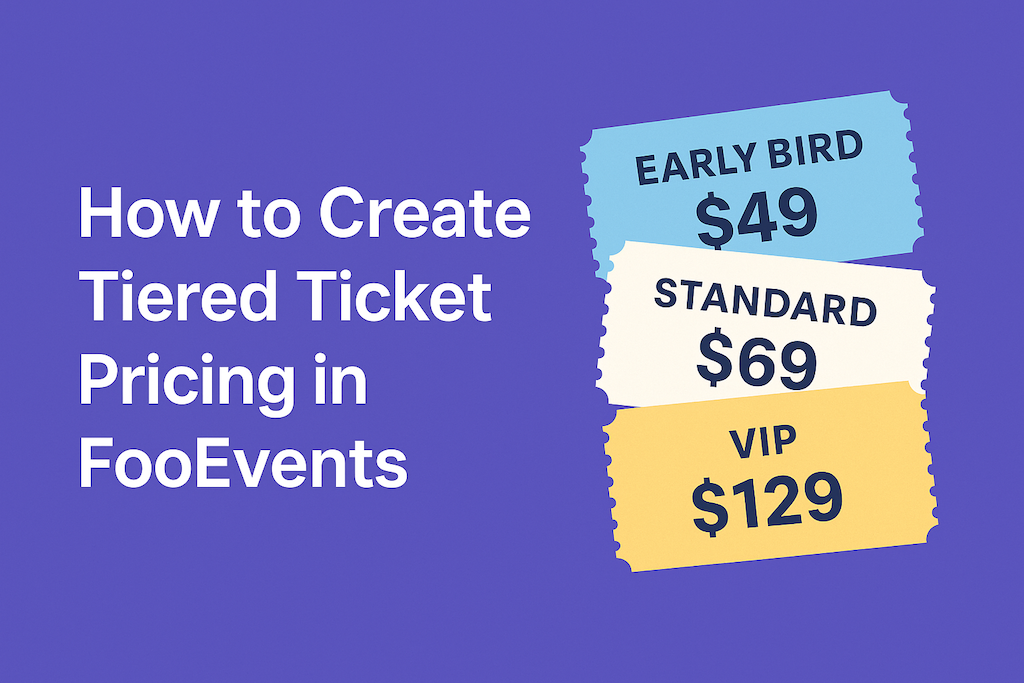
How to Create Tiered Ticket Pricing in FooEvents
Tiered ticket pricing lets you offer different ticket types—like Early Bird, Standard, and VIP—without additional plugins. With FooEvents and WooCommerce, you can build tiers as product variations, set prices and stock per tier, and collect attendee details per ticket. This post shows you how to set it up and validate it from start to finish.…
-

How to Use FooEvents Shortcodes in WordPress
FooEvents shortcodes let you drop event information, ticket forms, and calendars anywhere in your WordPress site without custom coding. They’re flexible, beginner-friendly, and give you control over how event content shows up. This guide walks you through the main shortcodes, when to use them, and where to find extra help. Introduction If you’ve spent time…
-

Make Your Tickets Mobile-Friendly with AddToWallet Integration
Managing events can be challenging, especially when attendees forget to print out their tickets or struggle to find them in their inbox at the door. To help solve this, FooEvents now integrates with AddToWallet, making it possible for attendees to store their tickets directly in Apple Wallet or Google Wallet on their mobile phones. A…
-

Master WooCommerce SEO: 10 Essential Tips for Speed Optimization (2024)
In this day and age, the speed of your website is not just a convenience for users but a cornerstone of your site’s search engine optimization (SEO) and conversion rate optimization (CRO). WooCommerce SEO is a particularly important aspect of running an eCommerce website as more traffic typically results in more sales. According to research by Pingdom,…
-

FooEvents Translations Speak Your Language
A fun fact about FooEvents is that our customers are globally dispersed and, for many, English is not their first language. This means that a considerable number of customers use the FooEvents back-end in English rather than their native tongue, which can be really challenging. It’s no surprise then, that we get a lot of…
-

How to use ChatGPT for events
The events industry is rapidly evolving, and so are the tools and technologies used to plan and execute successful events. With the advent of advanced artificial intelligence (AI), event managers now have a valuable resource at their disposal to streamline their operations and enhance their guests’ experience. One such tool is ChatGPT, an OpenAI-powered language…
-

Introducing FooEvents POS – Event Point of Sale
One of the most requested features that we’ve received from customers at an increasing frequency over the last few years, is the ability to sell and print event tickets at the door in addition to selling them online using FooEvents. A “box office” event point of sale solution if you like. We also discovered that…
-

The possibilities are endless with our new Mailchimp integration
We recently released our long awaited integration with Mailchimp which includes the ability to automatically add attendees to a Mailchimp audience list when tickets are generated. You can also specify default tags or event-specific tags that can be used to segment your Mailchimp list which opens up a host of exciting possibilities with FooEvents! To…
-

Create fully multilingual event websites thanks to seamless FooEvents and WPML integration
WordPress Multilingual (WPML) makes it easy to run a multilingual website with a single WordPress installation and it comes pre-installed with over 40 languages. You can also add your own language variants (like Canadian French or Mexican Spanish) using WPML’s languages editor. Simply choose the languages you want and start translating your content! We’ve worked…
-

Export your offline attendee check-ins with ease
One of the unique features of the free FooEvents Check-ins app is the ability to check-in attendees without an active internet connection. Offline mode can be enabled in the Check-ins app after you’ve logged in and completed an initial download of all your relevant event data. We’ve just added a new feature to the Check-ins…
-

Introducing the New FooEvents Stationery Builder
The latest version of the FooEvents for WooCommerce plugin includes a new FooEvents Stationery Builder which makes it possible to effortlessly design and print custom name tags, wristbands, tickets, badges and personalized labels through an intuitive drag & drop interface. The drag & drop interface lets you insert standard event and attendee details as well…
-

WordCamp Cape Town 2019
FooEvents is proud to be a sponsor of WordCamp Cape Town 2019 #WCCT19. The 10th Annual WordCamp Cape Town will be held on 26 and 27 September 2019 at the Lagoon Beach Hotel in Milnerton, Cape Town. Purchase your tickets now and get access to the two-day event including admission to all talks, workshops, and…
-

New Event Check-ins app replacing FooEvents Check-ins
You may have recently received a push notification which said that we will be ending support for the “FooEvents Check-ins” app and removing it from the App Store on 26 March 2019. Well, please don’t be alarmed because this is not bad news. You see, there are currently two different versions of the FooEvents app in the…
-

What’s been happening at FooEvents
Since the new year is now in full swing and the FooEvents team has been working hard on some exciting product updates that will be released this year, we thought it would be a good idea to highlight a few of the key improvements and enhancements that we rolled out in 2018. FooEvents for WooCommerce We implemented…
-

Sell Event Tickets at the Door for Free with FooSales
It’s now easier than ever to sell tickets in person at your event with speed and convenience! FooSales is a free app-based point of sale (POS) system for WooCommerce from the same team that brought you FooEvents which turns your iPad or Android tablet into a mobile cash register. FooSales enables WooCommerce store owners to…

 English
  German
  Dutch
Dutch  Spanish
  Italian
  Portuguese
  French
  Polish
  Greek
Greek