-

Important Zoom API update
As you may know, FooEvents integrates with Zoom making it possible to sell access to Zoom meetings and webinars. FooEvents does this by connecting securely to your Zoom account via Zoom’s app API. Previously, FooEvents integrated with Zoom using their JWT app, however, on June 1, 2023 Zoom will be deprecating (discontinuing) the JWT app type in…
-

How to import event tickets with FooEvents
Earlier this year, we added a ticket import tool to the FooEvents for WooCommerce plugin. This feature is particularly useful if you need to transfer a large number of tickets from an existing system or spreadsheet when planning an event. With the FooEvents ticket importer, you can import tickets in bulk using a CSV (comma-separated…
-

How to use shortcodes to embed event calendars on your WordPress site
In WordPress, a shortcode is a small piece of code that allows you to add dynamic content to your pages, posts, and widgets. Shortcodes are represented by square brackets [ ] and are used to embed various types of content such as images, audio, video, forms, and more. If you’re using FooEvents to manage your…
-

How to ensure your event runs smoothly using these FooEvents tools
So you’ve used FooEvents to sell tickets and the start of your event is quickly approaching. With the start line in sight, you will need to make sure that you are ready to provide your attendees with a smooth and seamless experience on the day of the event. In this post, we’ll guide you through…
-

How to build a WordPress conference website in under 30 minutes
Building websites has never been easier. WordPress is supported by thousands of powerful tools that are easy to use and make it possible to build professional websites in record time. To help illustrate this, I challenged myself to build a sophisticated WordPress conference website in under 30 minutes. The Brief The 30-Minute Challenge Given the…
-

Take a look under the hood (video)
In this walkthrough video, we will take you on a guided tour of the FooEvents settings and event setup. You will see how FooEvents can be used to create conferences, multi-day events, bookable services as well as events with seating selection. We also take a brief look at ticket management and the FooEvents reporting tools.
-

How to manage access at your events during the COVID-19 pandemic with FooEvents
Planning a grand reopening? We’ve started to see a steady increase in the number of physical events taking place. While this is great to see and (hopefully) a sign of things to come, most venues are still required to follow stringent guidelines intended to reduce the spread of COVID-19. In this article, we run through…
-

How to scan ticket barcodes and QR codes using FooEvents and WooCommerce
One of the biggest challenges experienced by most event organizers is managing attendee access. Ensuring an organized and steady flow of attendee check-ins is critical, and if not done efficiently, it could lead to lengthy lines and angry customers. To help speed up attendee check-ins, FooEvents automatically adds a unique barcode to each ticket. These…
-

How to sell access to virtual courses, classes and conferences with Zoom and FooEvents
We recently released a secure integration with Zoom that makes selling access to virtual conferences, courses, classes, meetings and webinars an effortless process. As a follow up to this release, we have compiled various use case guides that outline how to setup various types of virtual events using FooEvents and Zoom. Each use cases outlines…
-

Introducing FooEvents PDF Ticket Themes
One of our most popular features has received a major face-lift! Selecting a unique and customizable ticket theme for your HTML tickets has been part of FooEvents for a while but now it is possible to do the same with PDF tickets! Read on to find out how you can take advantage of this exciting…
-

New Event Check-ins app replacing FooEvents Check-ins
You may have recently received a push notification which said that we will be ending support for the “FooEvents Check-ins” app and removing it from the App Store on 26 March 2019. Well, please don’t be alarmed because this is not bad news. You see, there are currently two different versions of the FooEvents app in the…
-
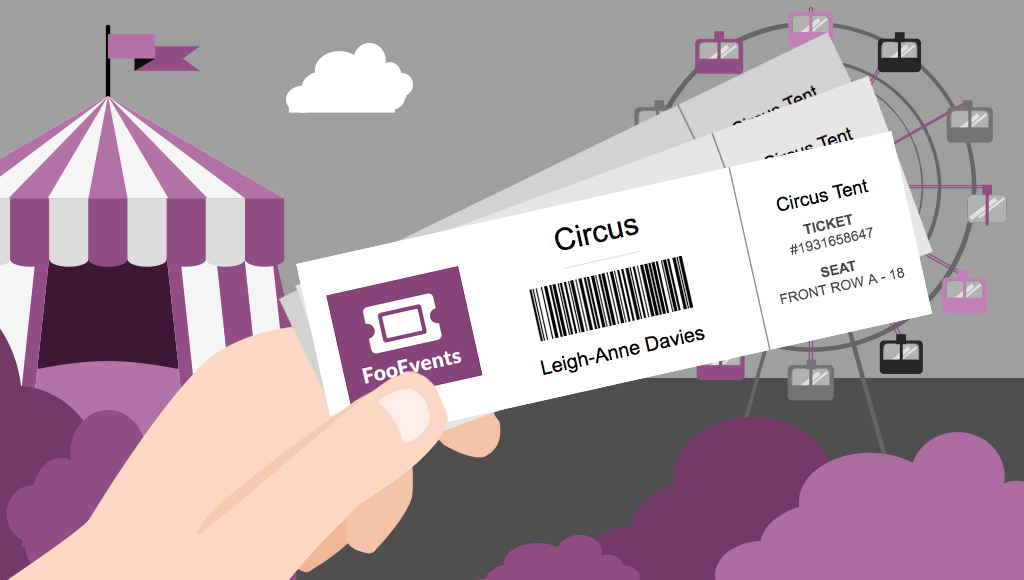
Sell tickets anywhere with ticket printing functionality
Would you like to be able to hand your event attendees a physical ticket? Are you looking for a way to sell tickets at your event or perhaps to a class or tour? We’ve got you covered! The new FooEvents “Print Tickets” functionality is now a standard feature in FooEvents for WooCommerce which allows you to…
-

Make your event exceptional with attendee badges
UPDATE: The new FooEvents Stationery Builder has replaced the attendee badge functionality and you can now design and print custom name tags, wristbands, tickets, badges and personalized labels through an intuitive drag & drop interface. Would you like name tags, badges or personalized labels for the attendees at your event? We thought so! This is…
-

Get Creative with FooEvents Ticket Themes – Part 2
Do you want to customize the tickets that your customers receive beyond the standard options? In Get Creative with FooEvents Ticket Themes – Part 1 we explained what FooEvents Ticket Themes are and how to use them. In this post we will show you how you can access and modify the source files for the…
-
Setup an event website and start selling tickets in only 6 minutes
In this video we will show you how to add event and ticketing functionality to your WordPress website in under 6 minutes! Using WooCommerce and FooEvents we will add ticket selling capabilities to a standard WordPress website. At the end of the video, we will purchase a ticket and make payment using PayPal. We hope…
-
Manage access to your events like a pro with our free check-ins apps!
There’s no need to struggle with clumsy spreadsheets or kill trees when you can manage event check-ins with our free, easy to use iOS and Android apps. The FooEvents Check-ins apps gives you the tools to manage access to your events like a pro. View all attendees registered for your event View attendee information Search…
-

How to prepare for large events like a pro with FooEvents
You’ve used FooEvents to sell tickets, and now your large event is fast approaching. When you’re checking in thousands of attendees at an event, every second counts. Even if you have less than 1,000 attendees, a delay of a single second for each check-in amounts to over 16 minutes of lost time. In this post…
-

How to sell tickets for workshops and sessions using FooEvents
The WooCommerce attributes and variations functionality allows you to easily sell tickets for different workshops, sessions and groups. In this tutorial, we’re going to create an event that includes 5 different workshops, each able to accommodate 50 attendees. Attendees will purchase a ticket for the main event and specify which workshops they would like to…
-

Speed up your WooCommerce Website with these 3 proven techniques (2024)
Would you like to increase conversions and improve SEO? Then the best way to do this is to speed up your website! According to skilled.co, a 1-second delay in page load speed can result in an 11% decrease in page views and a 7% reduction in conversions. Page speed is also an important ranking factor…
-

Sell Event Tickets at the Door for Free with FooSales
It’s now easier than ever to sell tickets in person at your event with speed and convenience! FooSales is a free app-based point of sale (POS) system for WooCommerce from the same team that brought you FooEvents which turns your iPad or Android tablet into a mobile cash register. FooSales enables WooCommerce store owners to…
-

Get Creative with FooEvents Ticket Themes – Part 1
FooEvents recently launched a brand new feature that allows you to change the way your email tickets look. With this new functionality you can use a professionally designed ticket template and upload your own logo and header image to match your event’s brand. If you haven’t already seen the available ticket themes, head over to…

How-to
Practical guides that show you how to set up, customize, and get more value from FooEvents.
 English
  German
  Dutch
Dutch  Spanish
  Italian
  Portuguese
  French
  Polish
  Greek
Greek